Robot Cell 01: explore an automated factory cycle in 3D
From conveyor to pallet and autonomous transport: a browser-based look at industrial choreography, built in Blender and delivered as an interactive GLB scene.
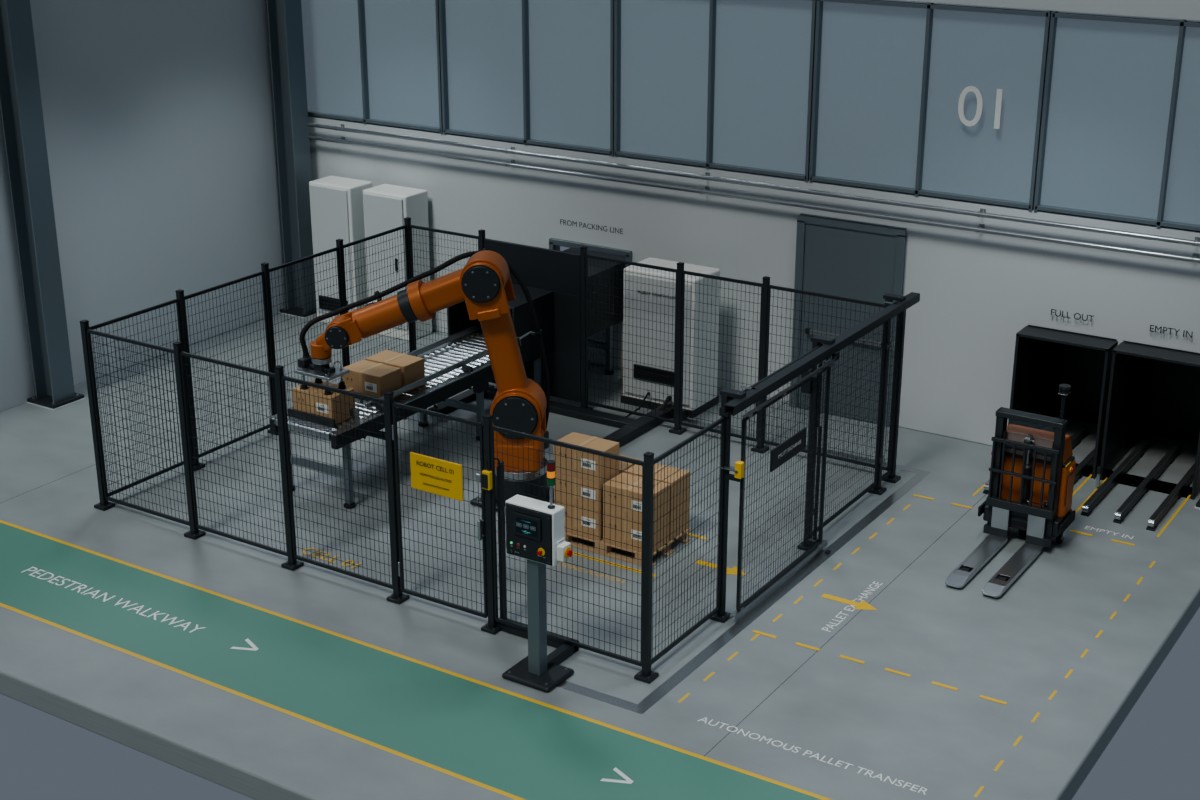
A factory process is easier to understand when you can follow what happens between machines. Robot Cell 01 brings that sequence into a small, explorable 3D scene: cartons arrive on a conveyor, a robot builds a pallet, and an autonomous forklift handles the exchange.
Follow the whole cycle
The conveyor introduces each carton to the robot’s pickup position. The vacuum gripper approaches, takes the carton and carries it to the pallet. Repeated placements build the load. The transport phase then connects that work to the rest of the hall: a full pallet leaves and an empty one returns for the next cycle.
The point is the relationship between these movements. A gripper cannot carry a carton before pickup, forks need room to enter a pallet, and a gate changes the space available for transport. Seeing those moments together makes the process much clearer than a collection of still images.
The scene uses one working pallet position, one robot and one autonomous forklift. That keeps the route legible and gives each machine a clear purpose.
Three controls, a freely movable view
Press Play to start the sequence. Pause holds the current pose while you rotate the view or zoom in on a detail. Restart returns the animation to the beginning and starts it again.
Drag to orbit the scene; use the mouse wheel or a pinch gesture to zoom. The animation starts paused, so you can choose your viewpoint before anything moves. After reaching the end, playback repeats.
The loop was checked in the exported scene by comparing object and bone transforms at its beginning and end. Their positions match. That check establishes pose continuity at the boundary; it does not turn the scene into a physical simulation.
From Blender to the browser
The source scene is authored in Blender and exported as GLB, the binary form of glTF. Geometry, materials and the animation travel together in one asset. The web viewer uses Three.js to load that asset and play its coordinated animation.
Lighting also needs to survive the move. This version includes six ceiling spotlights and two directional lights in the export. The browser adds an environment light to keep metal, painted surfaces and dark machinery readable from different viewing angles.
Small rigid parts are grouped for rendering where their animation hierarchy allows it. Moving assemblies retain their own transforms. This reduces the number of draw calls without separating the robot, transport and handling sequence into unrelated playback controls.
A visual explanation of industrial motion
Robot Cell 01 is designed for presenting and discussing a process: machine relationships, movement sequences, access and spatial layout. You can pause at a useful moment and examine it from several sides.
It is an illustrative 3D animation, not a live connection to factory equipment or a validated engineering model. Equipment selection, reach, loads, clearances and safeguarding for a real installation require their own engineering checks.
Explore the interactive scene or browse more work in IOM’s 3D section.